Designing the interactive artwork

image

image

Well, with two days to go, the robot hacks team is down to conpleting the final pieces on top of the interactive artwork — no pressure!

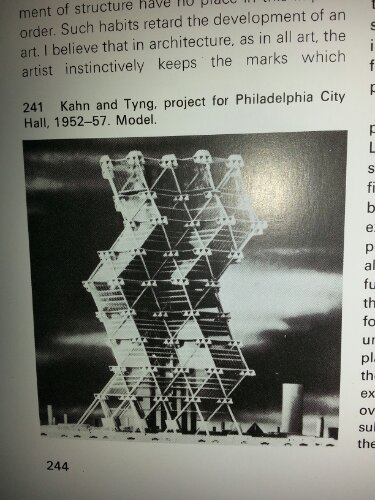
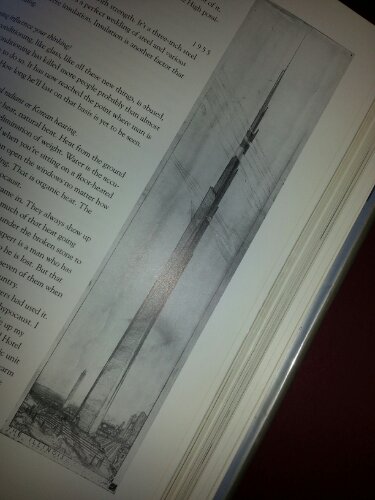
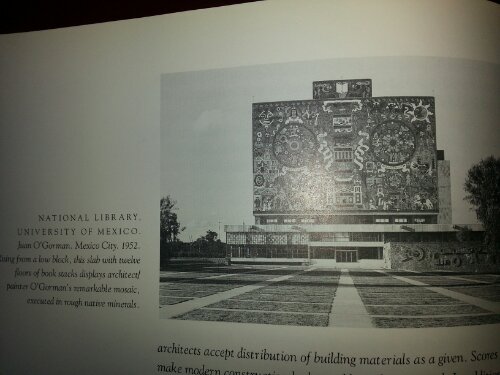
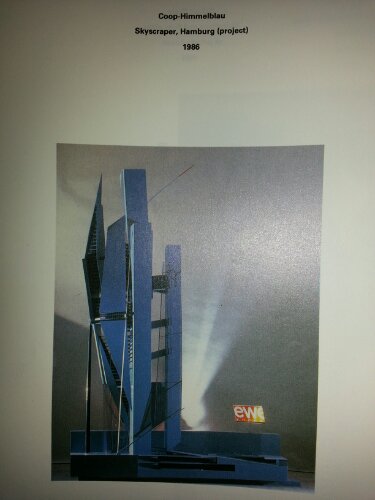
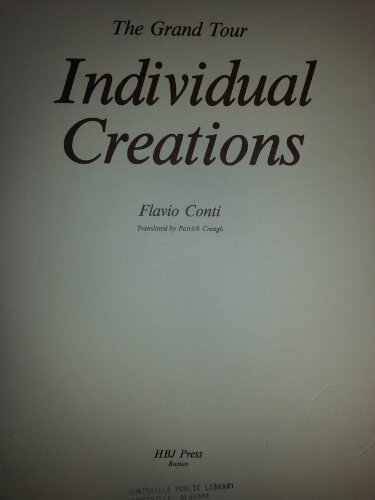
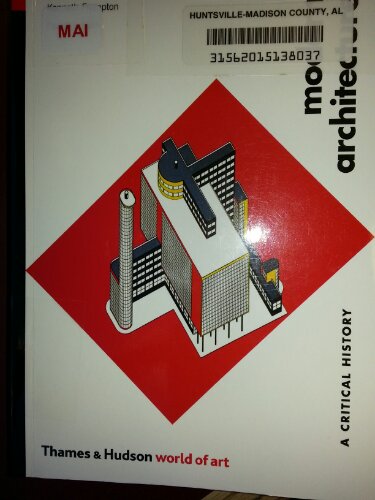
We wanted to have some influence from historical modern architecture so off to the library we went.

Here are some images that will influence tonight’s design:

image

image

image

image

image

image

image

image

image

image

image

image

image

And I shall try to avoid artwork with premonitions builtin!

image

Of course, there’s current/contemporary architecture to consider, too.  Maybe in a separate blog post.

Robot Hacks — communiques, part uno

Original message ——–
From: Stuart Gannes
Subject: Important update from Make Greetings

Robot Hackers,

By now we hope all of you received your Robot Hack packages and we’re eager to learn what you are doing, or even planning to do with them. Based on your responses we plan to feature your projects on our Nov 20 finale. You will have a chance to join the Hangouts on Air and show the Community what you are working on. (We also plan to ask a few of our Master Makers to respond to your projects.)

Let us know the evolution of your idea, its current status, what’s next. Let us know if you were inspired by any of the Master Makers we have been featuring on our live sessions. A paragraph or a couple of sentences is all we need.Please respond by email before the weekend.If you haven’t yet posted on our G+ Community Page please do so. It’s filled with updates and interesting videos. And it’s growing like crazy!

And watch for an update about the Nov. 20 show. We will post that on Monday

Go Teams!

Stuart Gannes
Producer
————–

From: Rick
Subject: Re: Important update from Make Greetings

Stuart,

Thanks goes to you, Sherry H., Mike S., and all the others who’ve made this Robot Hacks event fun and informative. Our project is a set of dancing mannequins on a tabletop art piece and is on schedule to be completed early next week.

Today, we’re installing the servos and tomorrow installing the sensors, all of which were programmed in prototype stage during the first two weeks.  We’ll debug during the weekend.  The artist on the team will decorate the final piece after the weekend.

Our primary inspiration from a Master Maker is Erin Kennedy, a/k/a Robotgrrl.

We look forward to seeing how others have been inspired!

Regards,
Team Tree Trunk

Sent via the Samsung Galaxy S™III, an AT&T 4G LTE smartphone

——–
From: Stuart Gannes
Subject: important update from MAKE

Thanks for the update Rick!

Stay tuned.
Stuart

——–
From: Stuart Gannes
Subject: Talk about your journey

Starting to see what’s brewing in your teams. Please let us know what you are doing. Don’t be shy. There are many newbies among us. For inspiration, check out this comment from one of the team leaders:

I also want to take this opportunity to thank you (MAKE and GE especially) for giving me an opportunity to dive in and really learn about Arduino and get some great hands-on experience with building robots. I’m a current AmeriCorps VISTA Leader serving with FIRST Robotics and I do work in my community with engaging kids and adults with robotics and STEM. However, I have never really had the resources or opportunity to learn so much about electronics and robotics, and my VISTA living allowance makes it difficult to afford the necessary equipment. Due to the generosity of GE and you guys over at MAKE, I can finally get my hands dirty! After watching kids experience the wonder of building a robot, I get to do it myself and share this project with my community. 

Can’t wait to learn about your journeys

Stuart

——–
From: Stuart Gannes
Subject: Every step matters

Greetings,

And thanks! to the dozens of you who already responded. Your stories are great and we are thrilled with your participation.

We’re still looking forward to hearing  – and learning – how things went for the rest of you. At the very least this will help us with our next Master Makers/Kit productions.

What inspired you to sign up? What do you like about the kits? What are you doing or think you might be doing? Send a note today if possible.

Every step matters!

Stuart

——–
From: Rick
Subject: Re: Every step matters

Inspiration for signing up was the challenge to a small group of friends to put our ideas into action, especially our recent discussion of an interactive yard art sculpture, using the Robot Hacks event for a chance to build a desktop prototype model.

The kit was a great brain teaser, giving us a set of building blocks along with a cookbook and the MAKE magazines to show how makers use available material to turn their dreams into reality.  The engineering notebooks brought back memories, good and bad, of our college engineering classes and our current jobs — excellent way, though, to remind participants to document both what you plan and what you do.

So far, this event has [re]opened our eyes to microcontroller programming; prototyping; test fixtures; use cases; the many uses of sensors such as PIR, LDR, and ultrasonic to control servos; the physics of pulleys, soldering, metalworking, gluing, wooden puzzle making; design preparation/presentation; marketing to the Maker community; realistic scheduling for a volunteer project and the esprit de corps of the Maker community in general as showcased in the panels/online hangouts.

We plan to continue working with the MAKE ultimate Arduino kit after this event, figuring out how to use the shields with Arduino in order to control more servos, motors and other gears for a much larger art project.

That said, the recent natural disaster in the Philippines has challenged us to rethink the direction of our next project — should our efforts be more effective if we turned our attention to a more humanitarian effort than abstract art?

Again, we thank you for encouraging us to add experience to knowledge and make something no matter how [im]practical.

We look forward to your synopsis of the types of projects that the dozens of Robot Hacks teams wrote you about.

Regards,
Team Tree Trunk
Sent from my iPad

An art piece takes it first breath

Herewith is the computer software code named “Robot_hacks_Nov_2013”:

/* Desktop art sculpture by Team Tree Trunk, November 2013
(Rick Hill, Janeil Hill and Jennifer Nye)

Created in conjunction with the Robot Hacks event sponsored by
MAKE magazine and GE, 3-20 November 2013.

This project was inspired by the work of Erin Kennedy, aka RobotGrrl.

Once upon a time, there were five photosensitive cells that wanted
to play together.

They were gathered inside a dark rectangular box when they felt
a commotion.

It was a two-eyed entity that called itself an ultrasonic sensor,
telling the five photosensitive cells that ultrasonic sensors are
like the bat or other creature that uses echolocation to describe
its  environment.

The six of them looked up and saw the big shadow and shape of
a giant that had lifted the lid of their box, exposing them to light,
showing them a world they had never seen before, full of odd
shapes and more entities just like themselves.

The giant removed them from the box and attached their legs into
holes that connected to rows of entities already in place, with
names like resistor, wire, LED and a complicated entity called
the Arduino.

The giant then played with them and gave them power.

They were more alive than ever before!

Excitedly, they joined with the wires, resistors, LEDs and Arduino
to move one-armed objects called servos.

Eventually, they left the rows of holes and were glued together
with metal to form a new network of connections inside a
cylindrical box.

The giant told them they were going to become a desktop art sculpture,
a Cubist version of a robot, dissected into its separate parts and put
on display like a Damien Hirst cadaver.

He walked them through a strange language, based on the idea of logic,
that made them more than the sum of their parts…

Five LDRs/photocells and one ultrasonic sensor are pointed outward
in the circular side wall of a hat box.

Each photocell controls the movement of a small analog servo
attached to the lid of the hat box.

The ultrasonic sensor controls the movement of large analog servo
attached to the lid of the hat box, which in turn is connected to
a set of pulleys.

If the distance from an object to the ultrasonic sensor is less than 5,
then all of the servos are returned to their original “zero” position;
otherwise they rotate based on readings from the photocells and ultrasonic sensor.

*/

int photocellPin0 = 0;     // the photocell is connected to a0
int photocellPin1 = 1;     // the photocell is connected to a1
int photocellPin2 = 2;     // the photocell is connected to a2
int photocellPin3 = 3;     // the photocell is connected to a3
int photocellPin4 = 4;     // the photocell is connected to a4
int photocellReading;      // the analog reading from the sensor
int yourDistance;          // the analog reading from the ultrasonic sensor
int servoPosition;         // connect servos to pins D3, D5, D6, D9, D10 and D11

#include <Servo.h>

Servo myservo0;  // create servo object to control a servo on D3
Servo myservo1;  // create servo object to control a servo on D5
Servo myservo2;  // create servo object to control a servo on D6
Servo myservo3;  // create servo object to control a servo on D9
Servo myservo4;  // create servo object to control a servo on D10
Servo myservo5;  // create servo object to control a servo on D11

const int pingPin = 2;

const int closeD = 10; // cm; maximum closest distance – 0 to 10 cm range
const int midD = 20; // cm; maximum hand distance – 10 to 20 cm range
const int farD = 30; // cm; maximum farthest distance – 20 to 30 cm range

int pos = 0;    // variable to store the servo position */

void setup(void) {
myservo0.attach(3);  // attaches the servo 1 on pin 3 to the servo object
myservo1.attach(5);  // attaches the servo 1 on pin 5 to the servo object
myservo2.attach(6);  // attaches the servo 1 on pin 6 to the servo object
myservo3.attach(9);  // attaches the servo 1 on pin 9 to the servo object
myservo4.attach(10);  // attaches the servo 1 on pin 10 to the servo object
myservo5.attach(11);  // attaches the servo 1 on pin 10 to the servo object

// We’ll send debugging information via the Serial monitor
Serial.begin(9600);

}

void loop(void) {
yourDistance = getDistance(pingPin); // cm
yourDistance = constrain(yourDistance, 0, 50);
servoPosition = map(yourDistance, 0, 50, 0, 180);
myservo5.write(servoPosition);
if (yourDistance < 5)
{
myservo0.write(0);
myservo1.write(0);
myservo2.write(0);
myservo3.write(0);
myservo4.write(0);
}
else
{
photocellReading = analogRead(photocellPin0);
Serial.print(“Analog reading 0 = “);
Serial.println(photocellReading);     // the raw analog reading
photocellReading = constrain(photocellReading, 0, 300);
servoPosition = map(photocellReading, 0, 1023, 0, 180);
myservo0.write(servoPosition);

photocellReading = analogRead(photocellPin1);
Serial.print(“Analog reading 1 = “);
Serial.println(photocellReading);     // the raw analog reading
photocellReading = constrain(photocellReading, 0, 300);
servoPosition = map(photocellReading, 0, 300, 0, 180);
myservo1.write(servoPosition);

photocellReading = analogRead(photocellPin2);
Serial.print(“Analog reading 2 = “);
Serial.println(photocellReading);     // the raw analog reading
photocellReading = constrain(photocellReading, 0, 300);
servoPosition = map(photocellReading, 0, 300, 0, 180);
myservo2.write(servoPosition);

photocellReading = analogRead(photocellPin3);
Serial.print(“Analog reading 3 = “);
Serial.println(photocellReading);     // the raw analog reading
photocellReading = constrain(photocellReading, 0, 300);
servoPosition = map(photocellReading, 0, 300, 0, 180);
myservo3.write(servoPosition);

photocellReading = analogRead(photocellPin4);
Serial.print(“Analog reading 4 = “);
Serial.println(photocellReading);     // the raw analog reading
photocellReading = constrain(photocellReading, 0, 300);
servoPosition = map(photocellReading, 0, 300, 0, 180);
myservo4.write(servoPosition);
}

delay(300);
}
/* boolean ping(int pingPin)
//boolean ping(int pingPin, int ledPin1, int ledPin2, int ledPin3)
{
int d = getDistance(pingPin); // cm
boolean pinActivated1 = false;
boolean pinActivated2 = false;
boolean pinActivated3 = false;
if (d < closeD) {
digitalWrite(ledPin1, HIGH);
digitalWrite(ledPin2, LOW);
digitalWrite(ledPin3, LOW);
myservo5.write(180);
pinActivated1 = true;
pinActivated2 = false;
pinActivated3 = false;
} else {
if (d < midD) {
digitalWrite(ledPin1, LOW);
digitalWrite(ledPin2, HIGH);
digitalWrite(ledPin3, LOW);
myservo5.write(90);
pinActivated1 = false;
pinActivated2 = true;
pinActivated3 = false;
}
else {
digitalWrite(ledPin1, LOW);
digitalWrite(ledPin2, LOW);
digitalWrite(ledPin3, HIGH);
myservo5.write(0);
pinActivated1 = false;
pinActivated2 = false;
pinActivated3 = true;
}
}
//  return pinActivated1, pinActivated2, pinActivated3;
return pingPin;
} */

int getDistance(int pingPin)
{
long duration, inches, cm;

pinMode(pingPin, OUTPUT);
digitalWrite(pingPin, LOW);
delayMicroseconds(2);
digitalWrite(pingPin, HIGH);
delayMicroseconds(5);
digitalWrite(pingPin, LOW);

pinMode(pingPin, INPUT);
duration = pulseIn(pingPin, HIGH);

inches = microsecondsToInches(duration);
cm = microsecondsToCentimeters(duration);
Serial.print(inches);
Serial.print(“in, “);
Serial.print(cm);
Serial.print(“cm”);
Serial.println();
return(cm); // You could also return inches
}

long microsecondsToInches(long microseconds)
{
return microseconds / 74 / 2;
}

long microsecondsToCentimeters(long microseconds)
{
return microseconds / 29 / 2;
}

/*******************************************************************************/
//  This is free software; you can redistribute it and/or
//  modify it under the terms of the GNU Lesser General Public
//  License as published by the Free Software Foundation; either
//  version 2.1 of the License, or (at your option) any later version.
//
//  This is distributed in the hope that it will be useful,
//  but WITHOUT ANY WARRANTY; without even the implied warranty of
//  MERCHANTABILITY or FITNESS FOR A PARTICULAR PURPOSE.  See the GNU
//  Lesser General Public License for more details.
//
//  You could have received a copy of the GNU Lesser General Public
//  License along with this code; if not, write to the Free Software
//  Foundation, Inc., 51 Franklin St, Fifth Floor, Boston, MA 02110-1301 USA
//
/*******************************************************************************/

When it rains on Friday…

Outside the window, raindrops drip from the wet branches of the redbud tree.  A twig heavily laden with lichen balances precariously on a redbud limb.  Brown and yellow leaves still cling to their connections, pulled loose by falling water occasionally.  The green leaves of a wild privet bush stand out from the rust-coloured background of autumn.

For the past few weeks, I have changed from a person devoted to the art of dance to a person devoted to the art/science of the home tinkerer.

In this tinkerer’s mini-adventure, I have encountered new characters in my life, who my mother has noted are temporary online acquaintances which may or may not have my best interests at heart.  Sometimes, even I am amazed of the faith I readily give to people that this interactive TV screen connects me to.

I, the tinkerer, am working on a desktop prototype of a yard art sculpture that can be a work of art by itself.

I had formed a small group — Team Tree Trunk — to work on this prototype, enlisting the artistic input of my wife and the mechanical engineering input from a friend who, unfortunately, is dealing with a dying father and I haven’t bothered for her input on this project.

Thus, I have been left to write the computer code and create this desktop prototype primarily on my own, hoping my wife can help finish the decorating of the piece from her creative/logical/computer engineering thought set.

Over the past week or so, I’ve attended virtual hangouts/meetings/panels with other tinkerers, commonly called Makers these days but just as easily called inventors, scientists, and other members of the creative class of citizens.  You could call them knowledge workers or data analysts, too.

Is it a special skill or talent that turns one into a Maker?

What level of curiosity belongs to the Maker classification?  Is a person who is curious about a favourite actor’s life a Maker?  Is a sports fan a Maker?  Is a member of the political chattering class a Maker?

Should the word Maker even be capitalised?  It certainly takes capital to be a Maker rather than just a Thinker/Dreamer.

As I finish up this Robot Hacks project, I wonder what in this whole Maker Movement will make my dream come true — a permanent colony on Mars (or the Moon) in the next 13,321 days.

Cool as they are already, it’s great that people want to use 3D printers to make game pieces, Valentine’s Day flowers, holiday ornaments, keychains, tablet PC cases and book lights.

We-the-geeks-010

After all, we like to surround ourselves with evidence of our individuality.

My goals are not your goals.  My goals are not my goals.  My goals belong to the universe, coaxing our sets of states of energy, fractal spinoffs from the local star, to branch out into the solar system with more than our electromechanical observation platforms.

We want a whole generation on this planet to subconsciously devote their attention to extraplanetary settlement.  It doesn’t happen by force or coercion.  It happens through encouraging people to use their imaginations, with subtle hints that exploring the cosmos is a great use of their imaginations.

Kind of like mass marketing direct mail campaigns — we don’t expect 100% replies — if 1-3% respond, and buy the product or buy into the product’s lifestyle, we’ve accomplished our goals.

One to three percent of the global population devoting one to three percent of global resources toward space exploration?  That would be awesome!

Now, on to getting people excited about putting their imaginations into action, regardless of age or socioeconomic status.  I don’t expect myself to like everything they create but I’m willing to give them the impetus to do so.